Page History
...
- Mapping Accounts – This checks that your mappings are correct in QB and BookingCenter.
- QuickBooks Accounts – loads all QuickBooks Accounts directly from Quickbooks.
- QuickBooks Customers – loads all QuickBooks Customers directly from Quickbooks (used for AR).
- A/R and A/D - shows the QuickBooks account that is connected to the mapping in BookingCenter.
- Tech/Setup - shows the ClientID / Token settings etc.
- Import - Allows you to see the JSON data for the specific System Date and Import to QB, if needed. Note when you you import, it will import to QB all records for that SystemDate as shown in the JSON array.
When we train a customer with the GL process to QuickBooks, there may initially be problems with with GL mappings (errors get both emailed and visible on the screen, if so) and thus re-importing to the GL may need to occur. If left un-attended, this can be a BIG problem for the accountant to go back into QuickBooks Journal and remove/delete the errant postings, or re-import via the QB.BookingCenter.com area (which can create duplicate GL entries). To make this easy for customers
For best practices, BookingCenter recommends that all new customers follow the approach:
- After double-checking your mappings and GL account codes, use the QB.BookingCenter.com area to initiate the first day or two of entries and then audit to make sure your assumptions were correct in your QuickBooks accounts.
After a few days of using the QB.BookingCenter.com area's Import button for each System Date, then turn on the 'automatic at Night Audit' and use a Manual Night Audit approach for a couple days to get the Night Audit process working properly, including the ""BookingCenter to Your GL" automation.
- If you then choose to use Automatic Night Audit, make that switch and pay attention to the emails and arrays sent to you, run reports and confirm the expected results are delivered..
Importing via Night Audit: Manual and Automatic Night Audit.
...
The import tool also enables a re-import for a specific date (note, it's always the 'System Date' that loads the JSON for import - and thus will equal that System Date's Transaction Summary report). But the Log is always the 'clock date', which is the QuickBooks actually imported in Pacific time, which is often differer different than the hotel's SysteDate)System Date. The Import tool allows a user to select which Items they want imported, avoiding duplicating GL entries already made for that System Date. BookingCenter logs each System Date entry to make sure Night Audit (manual or automatic) or a manual 'Import' action will not re-submit journal entries. If a System Date was already imported, there is an error message presented on the screen in the QB.BookingCenter.com area such as the following:
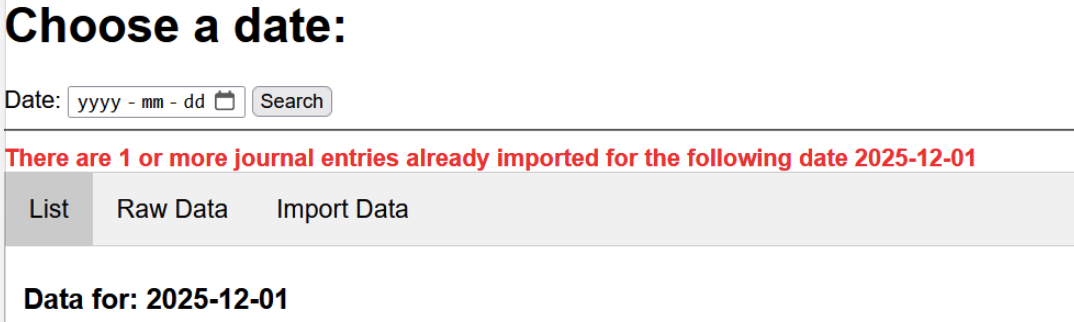
When using a Date date for the Import Tool, simply de-select those mapping areas mappings you DO NOT want to re-import to QB form that date.
...
Overview
Content Tools