Page History
For customers who are subscribed to the General Ledger (GL) postings interface, BookingCenter provides a service to map the Transaction Categories, Inventory Items, and Receipt Types so that your General Ledger (GL) can be keep current - automatically. The service posts each day's Transaction Summary to your GL system, either manually or via a machine process as a JSON array, that has been 'mapped' to the GL system you use. BookingCenter can provide this mapping as a service for customers of Quickbooks Online (via our QuickBooks app: "BookingCenter to Your GL", but the GL array of data works with other web-accessible GL systems, as well. Contact us for assistance.
...
Posting the GL data to QuickBooks OnlineEdition via the BookingCenter app: "BookingCenter to Your GL"
...
- Mapping Accounts – This checks that your mappings are correct in QB and BookingCenter.
- QuickBooks Accounts – loads all QuickBooks Accounts directly from Quickbooks.
- QuickBooks Customers – loads all QuickBooks Customers directly from Quickbooks (used for AR).
- A/R and A/D - shows the QuickBooks account that is connected to the mapping in BookingCenter.
- Tech/Setup - shows the ClientID / Token settings etc.
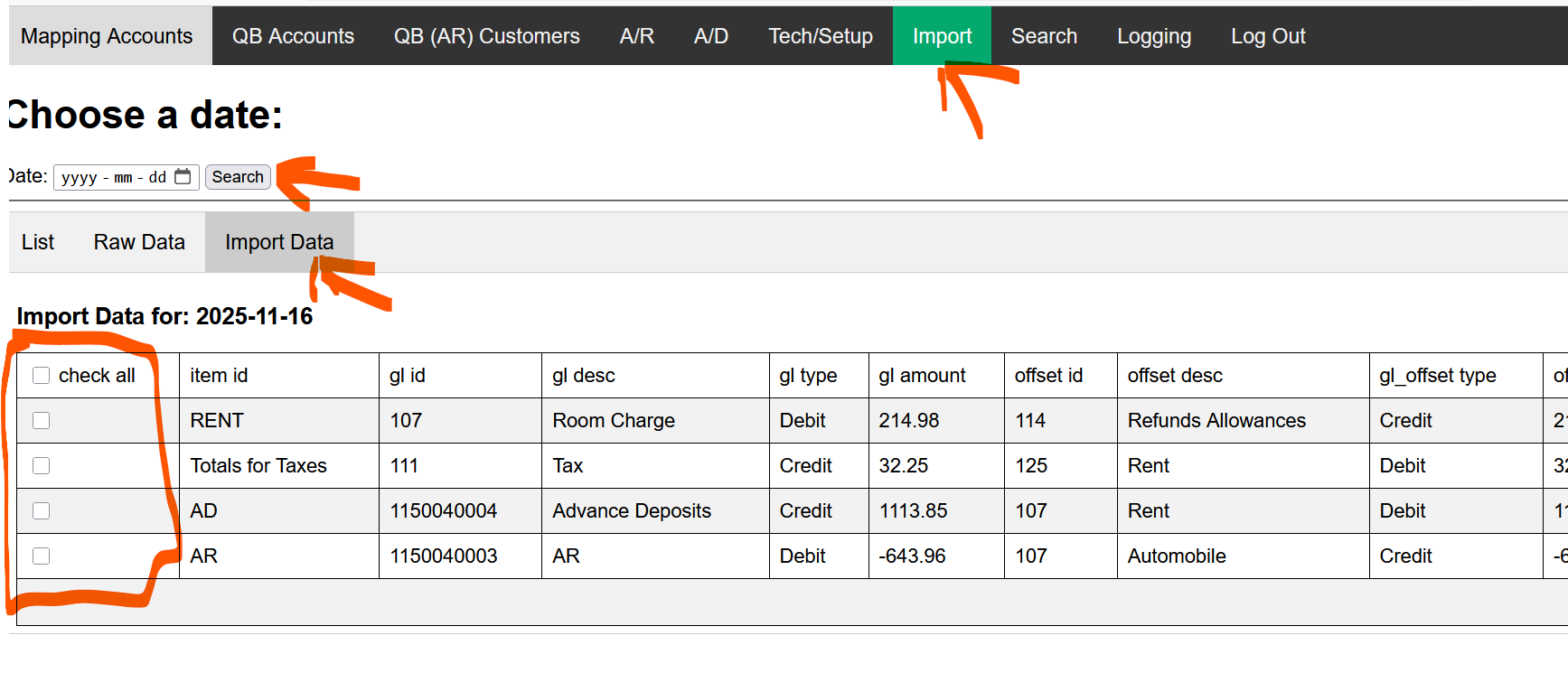
- Import - Allows you to see the JSON and Import to QB if needed. (Note when you import, it will import to QB).
When we start with the GL process to QuickBooks, there may be problems with mappings and thus re-importing to the GL will need to occur. This can be a BIG problem because the accountant will have to go back into the their QB and remove/delete the errant postings, or re-import via the QB.BookingCenter.com area and that can create duplicate GL entries. To make this easier for customers, BookingCenter has a tool to enable a re-import for a specific date (note, it's always the 'System Date' and will equal that System Date's Transaction Summary report). The tool allows a user to select which Items they want imported, avoiding duplicating GL entries already made for that System Date.
When using a Date for the Import Tool, simply de-select those mapping areas you DO NOT want to re-import to QB form that date.
- Search – Allows you to search for a Journal entry that imported. This only searches 1 day at a time.
- Logging – we log each entry and error. Seach any date required.
...
Overview
Content Tools